This tutorial will show how to access the Amazon Signage Stick settings app.
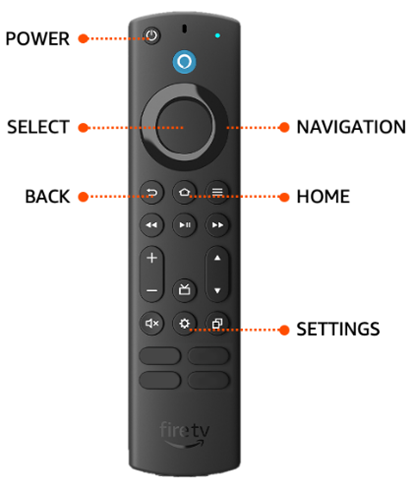
- On your remote control, tap the Settings button (the cog icon).
- The Settings menu will open briefly and OnSign will automatically reopen after a few seconds. This behavior is expected as OnSign always tries to stay active.

- When OnSign reappears, press the Back button (the U-turn icon), deselect “Remain connected upon exit”, and confirm with OK.

Because the Settings menu was opened beforehand, it will be shown on screen and OnSign will no longer relaunch automatically.
After you have finished adjusting the settings, exit the menu by pressing Home or the Back button and wait for OnSign to start again.